

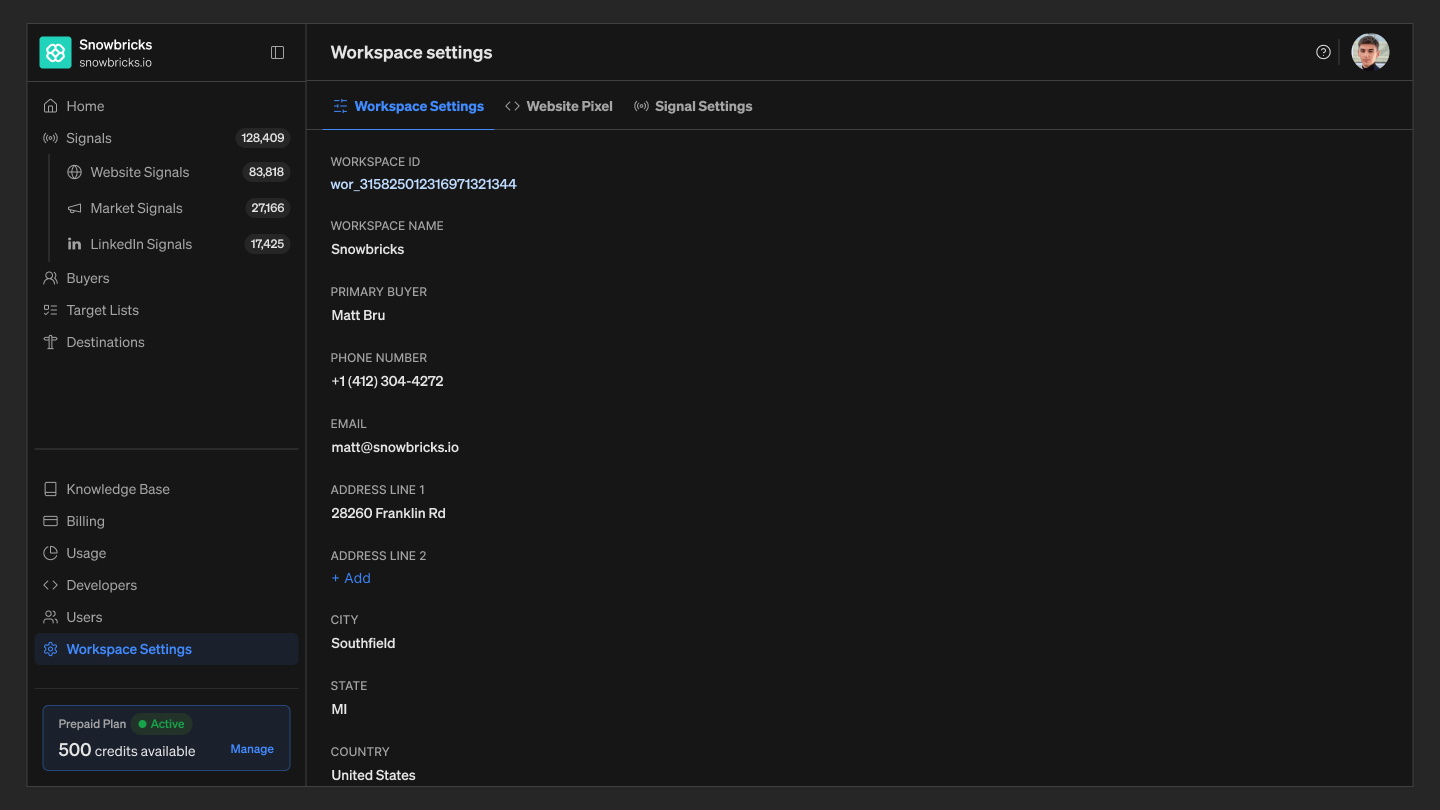
Workspace details
- Status — the workspace’s current state in the onboarding and activation flow (for example, Onboarding or Active).
- Workspace ID — the workspace’s unique identifier, used when referencing it via the API or in integrations.
- Workspace Name — the display name for the workspace.
- Primary Buyer — the buyer profile used as the default point of contact for the workspace.
- Contact and address — Phone Number, Email, and a mailing address (Address Line 1, Address Line 2, City, State, Country, ZIP) for the workspace.