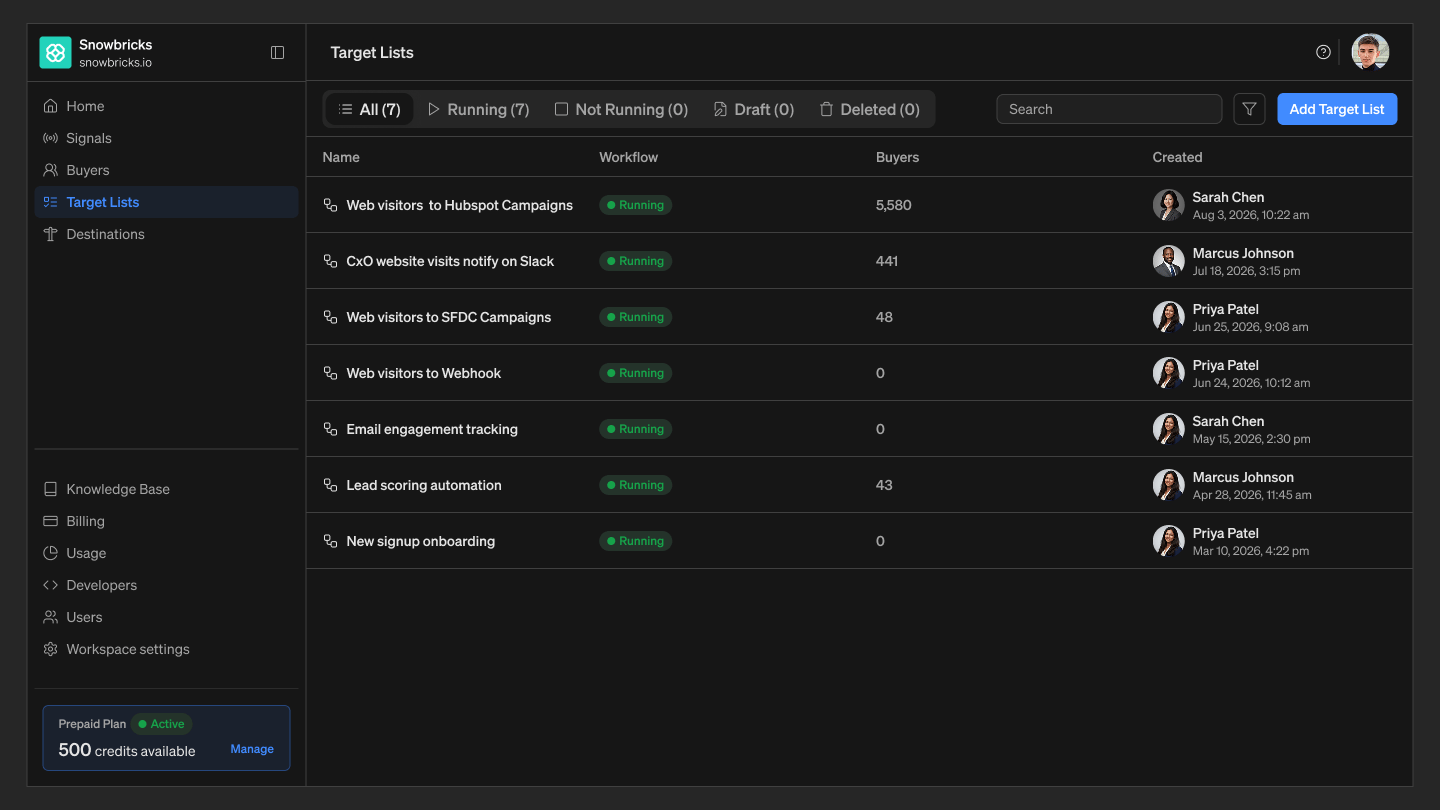
Target List structure
Target List status
The Target Lists page lists your lists with filter tabs — All, Running, Not Running, Draft, and Deleted — so you can quickly see where each list stands.- Draft — the list has been created but hasn’t been run yet, or its workflow hasn’t been fully configured.
- Running — the list’s workflow is active and capturing matching buyers.
- Not Running — the list’s workflow has been stopped.
- Deleted — the list has been removed.
- How long a Running list keeps capturing new buyers depends on its Workflow settings (see below).
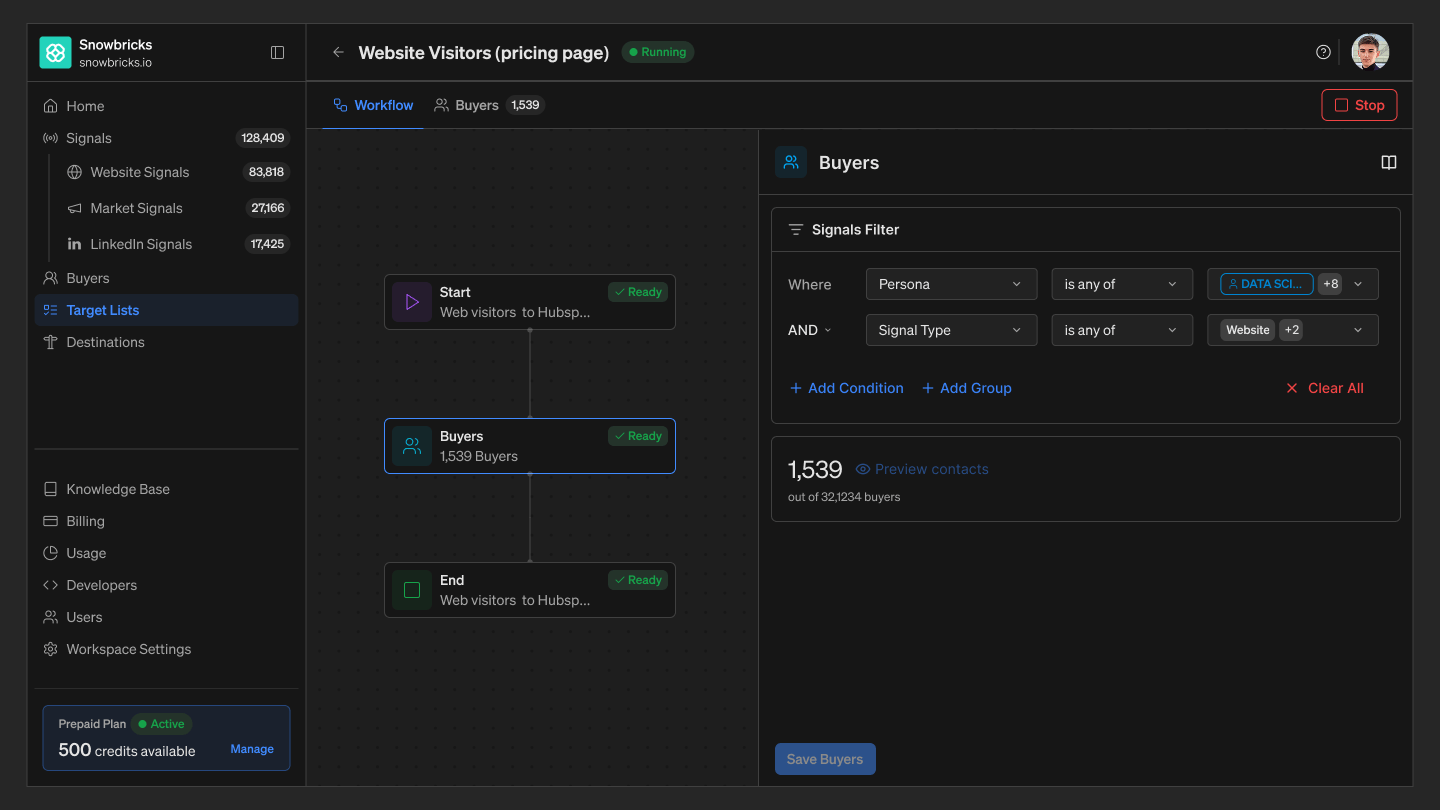
Workflow tab
The Workflow tab shows how a Target List is built, as three steps:- Start — defines the list: its name, description, and how long the workflow runs.
- Buyers — where you configure the Signals Filter and Buyers Filter that determine which buyers are captured, and shows the buyers matched so far with a running count.
- End — marks the end of the workflow.
Workflow settings
Configured on the Start step, these control how long a Target List keeps running:- Runs continuously until stopped — Keeps running and checking for new signals until you pause it.
- Runs until a selected date — Runs automatically and stops on the date you choose.
- Runs once only — Runs a single time, then stops automatically.
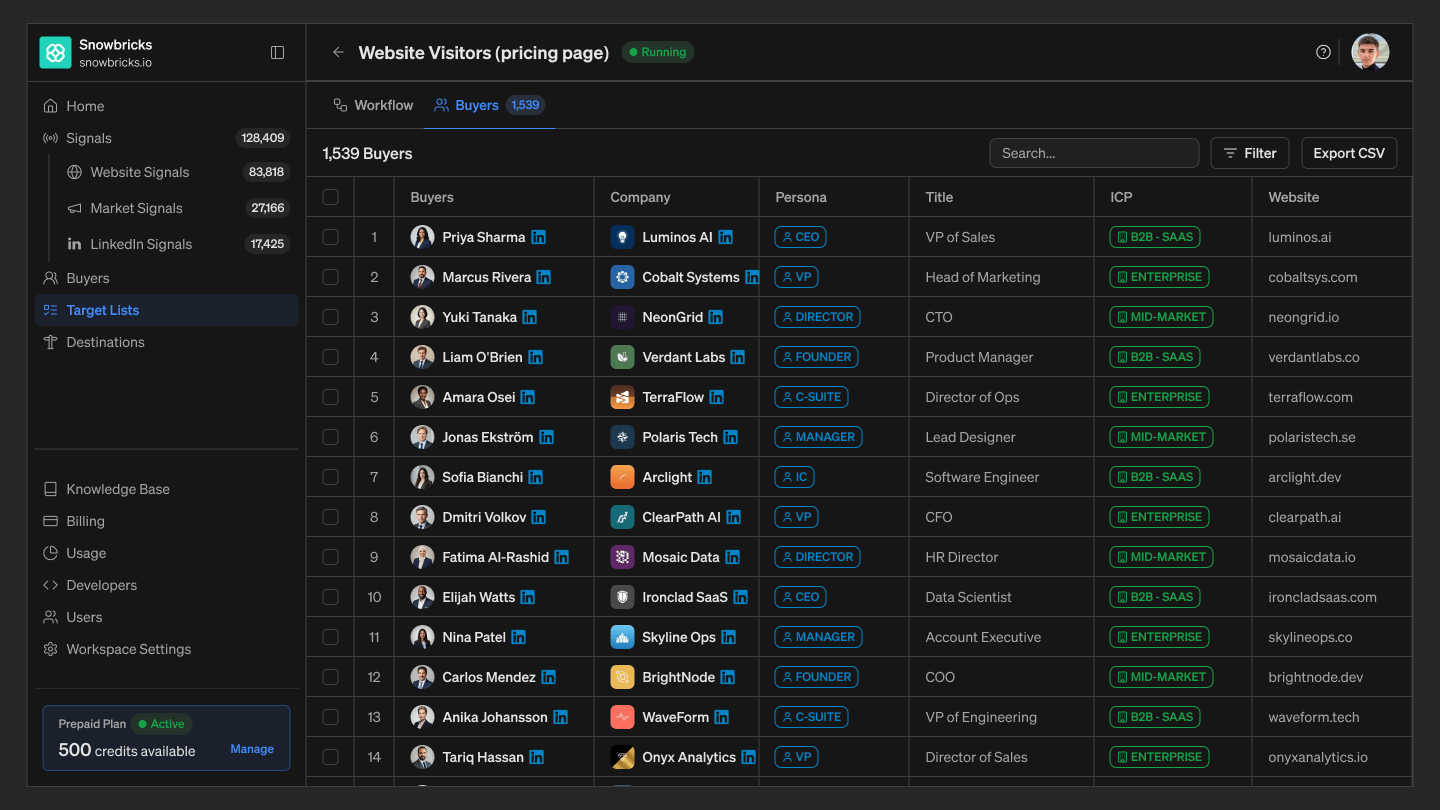
Buyers tab
The Buyers tab shows every buyer the Target List has captured so far, in one sortable table.- The tab header shows a running total, for example 1,539 Buyers.
- Search — find a buyer or company by name.
- Filter — narrow the table by column values.
- Export CSV — download the current buyer list.