

Step 1: Create a destination workflow
- Select Add Destination
- Enter a Name for the workflow
- Search or select a Destination — HubSpot, Salesforce, Slack, or Webhooks
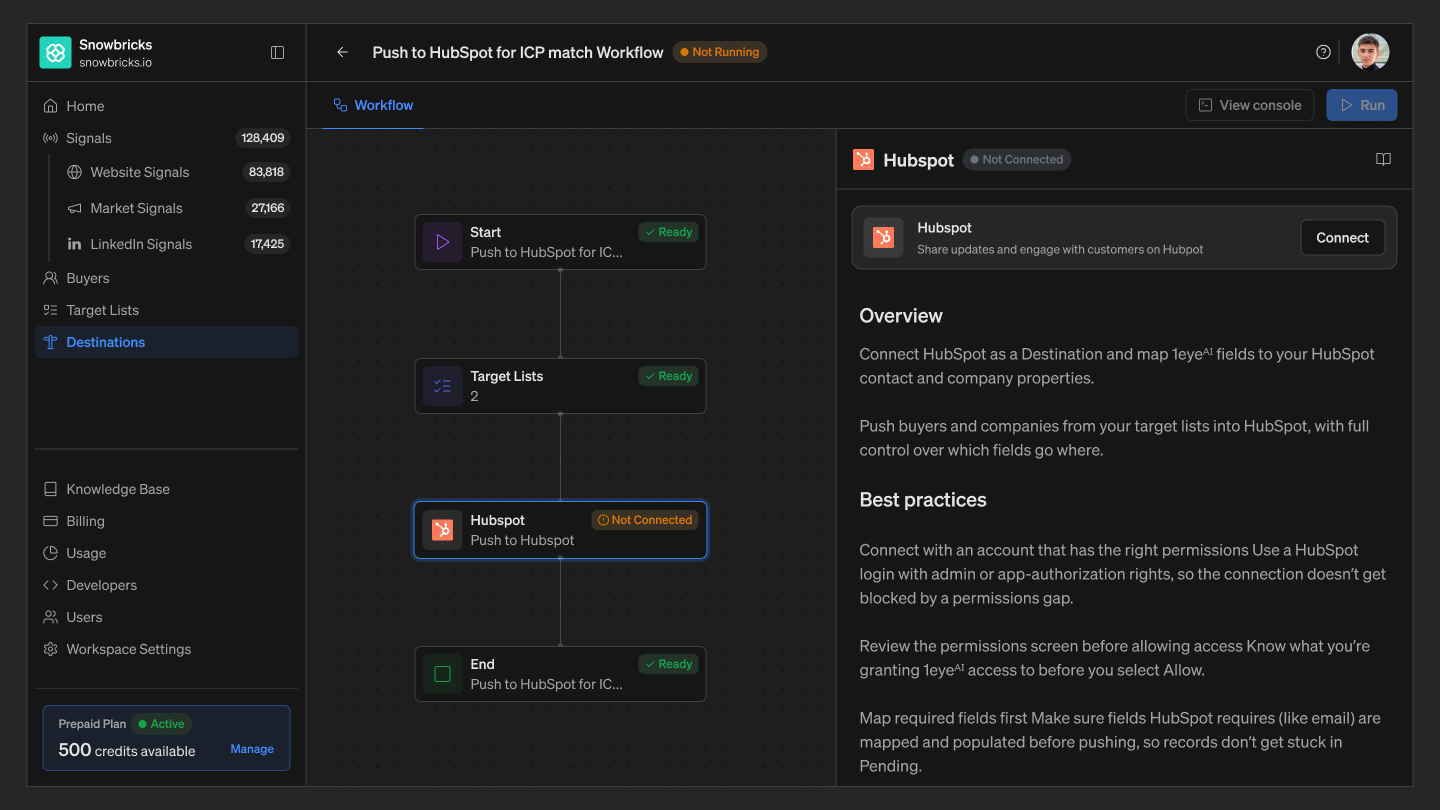
Step 2: Build the workflow
Start → Target Lists → Destination → End
Start Choose how the workflow runs — continuously until stopped, until a selected date, or once only — then Save Workflow Settings.
Target Lists Select which target lists feed the workflow.
Destination Connect your account, then configure what’s sent — choose fields to sync, or how records are matched for each destination type — HubSpot, Salesforce, Slack, Webhooks — for connect steps and field mapping.
End Marks the end of the workflow — no configuration needed.