

- Create and manage API keys
- Review recent API requests
- Check workspace rate limits
Before you begin
To use Developers, you need:- Access to your 1eye workspace
- An active plan
- Admin access to create, rotate, or revoke API keys
Developers
- Open your 1eye workspace
- Select Developers from the left-menu navigation
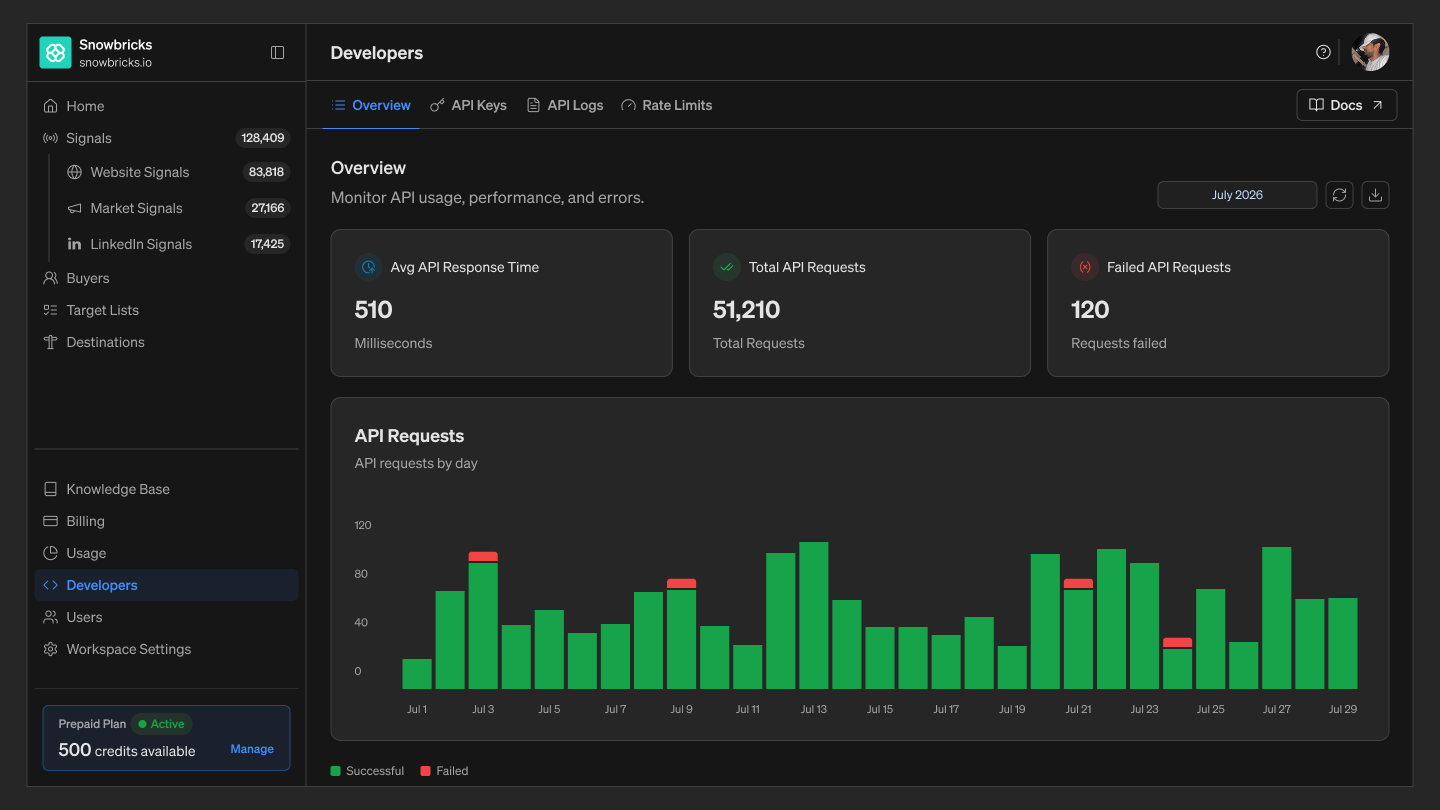
What’s in Developers
- API Keys — Create, view, and revoke the API keys used to authenticate requests to the 1eye API
- API Logs — A history of API requests made under your workspace
- Rate Limits — The request limits that apply to your workspace, shared across all API keys
Monitoring API usage
The Overview tab gives you an at-a-glance view of API activity for your workspace:- Avg API Response Time — the average response time for your workspace’s API requests
- Total API Requests — how many requests have been made in the selected period
- Failed API Requests — how many of those requests failed
Best practices
- Use separate keys per environment — Create distinct keys for production, staging, and testing so you can revoke one without affecting the others.
- Name keys clearly — Use names like Prod Key or Staging Key so your team knows what each key is used for.
- Revoke keys you no longer use — Remove unused or old keys instead of leaving them active.
- Watch your rate limits — Check Rate Limits before building high-volume integrations.