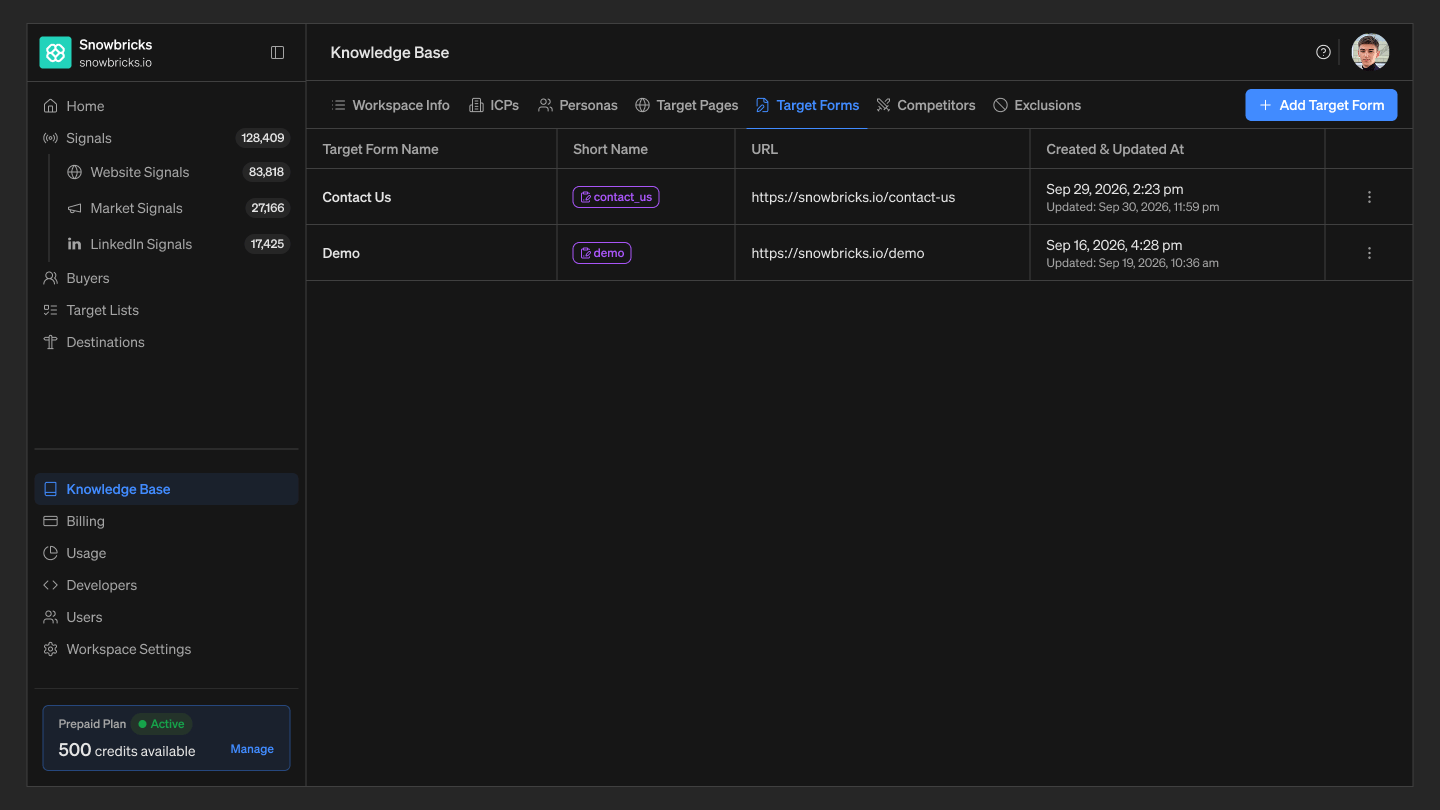
Target Forms are the forms on your website that indicate buying intent when a contact submits them — for example, a demo request form or a contact-sales form. Add or edit Target Forms so that 1eyeAI can surface form submissions as high-signal activity. For Snowbricks, examples could include:

Where to find Target Forms

  1. Open your 1eyeAI workspace
  2. Select Knowledge Base from the left-hand nav
  3. Select the Target Forms tab

Best practices

  • Add Target Forms that reflect real intent — Demo requests and contact-sales forms are usually stronger signals than newsletter signups.

Next step

See Target Pages for the page-level equivalent of this signal.